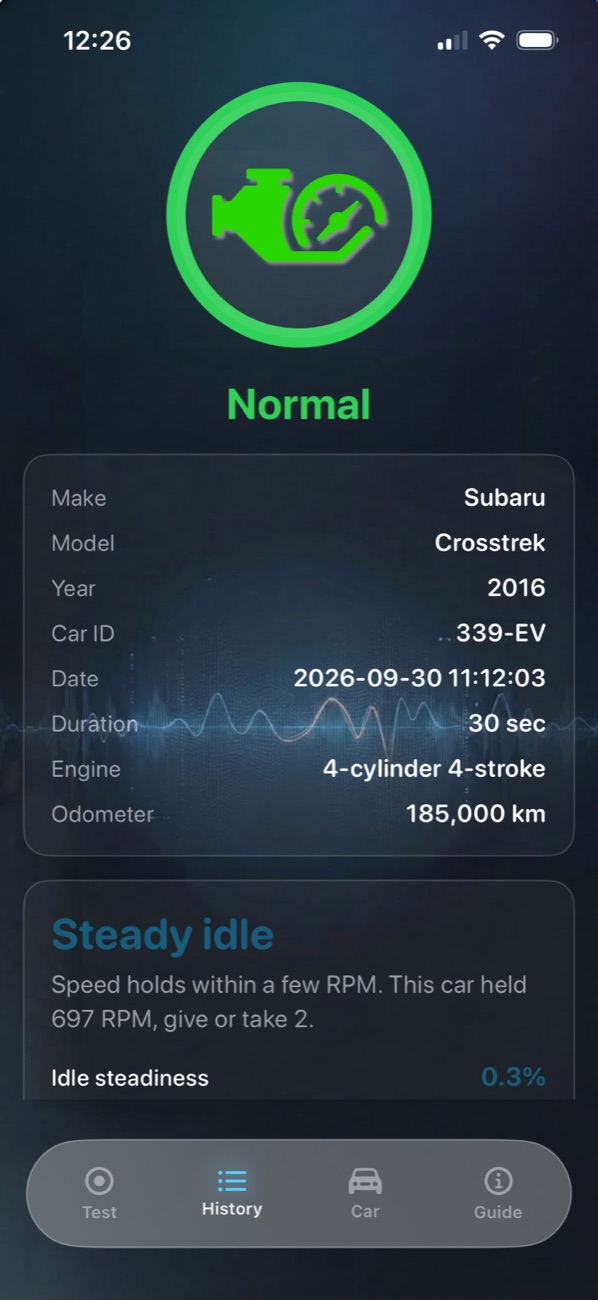
Normal
Idle speed holds steady.
New in version 2.0
Your engine's pulse.
An idle reading from your iPhone. No tools, no wires.
Scroll
No tools. No wires. Nothing plugged into the car. Put your iPhone on the hood, let the engine idle for about thirty seconds, and see if the idle holds.
How it works
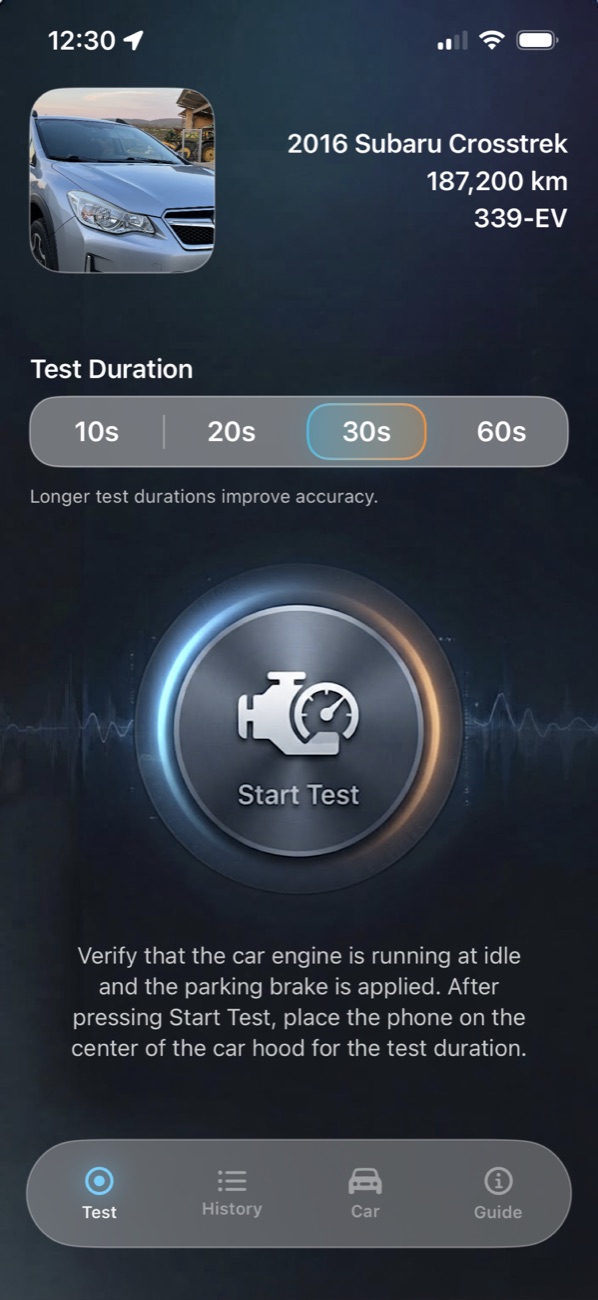
Pick the length. Thirty seconds is the usual. You can also choose 10, 20, or 60.
A three-second countdown gives you time to place the phone on the center of the hood, in a non-slip case.
The iPhone motion sensors read the vibration and turn it into engine speed, using the engine type and cylinder count you entered.
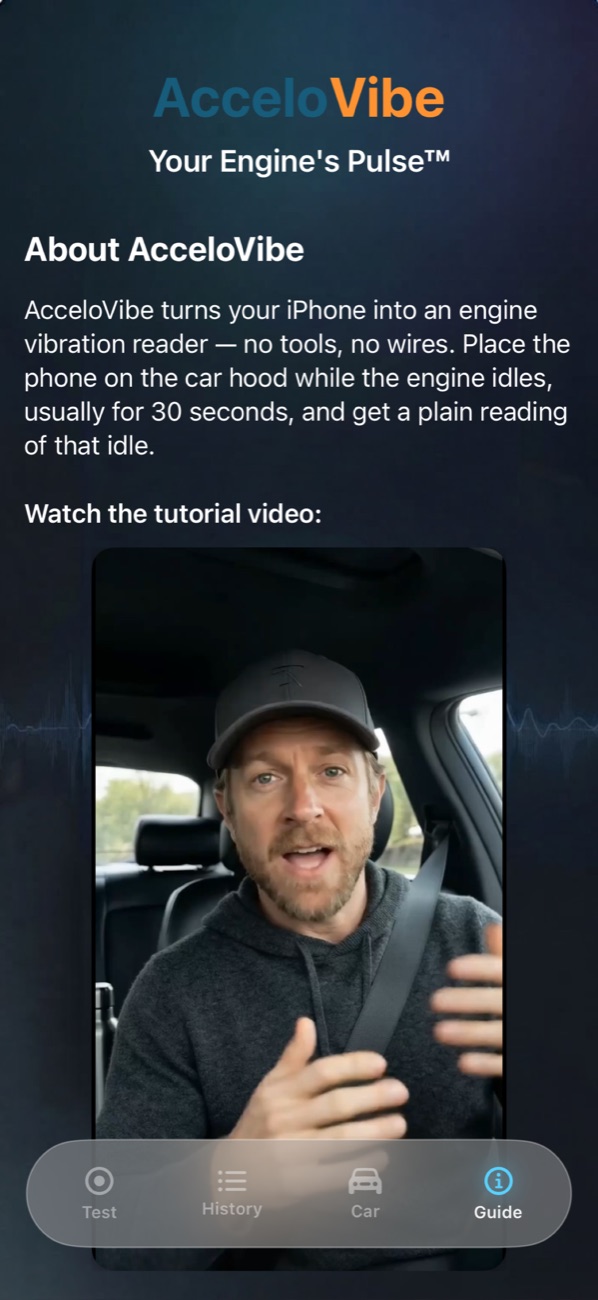
A plain answer, the numbers behind it, and the graphs. Saved to that car.
Watch
Save the car. Choose thirty seconds. Step out, tap Start Test, and set the phone down. The app does the listening.
Readings
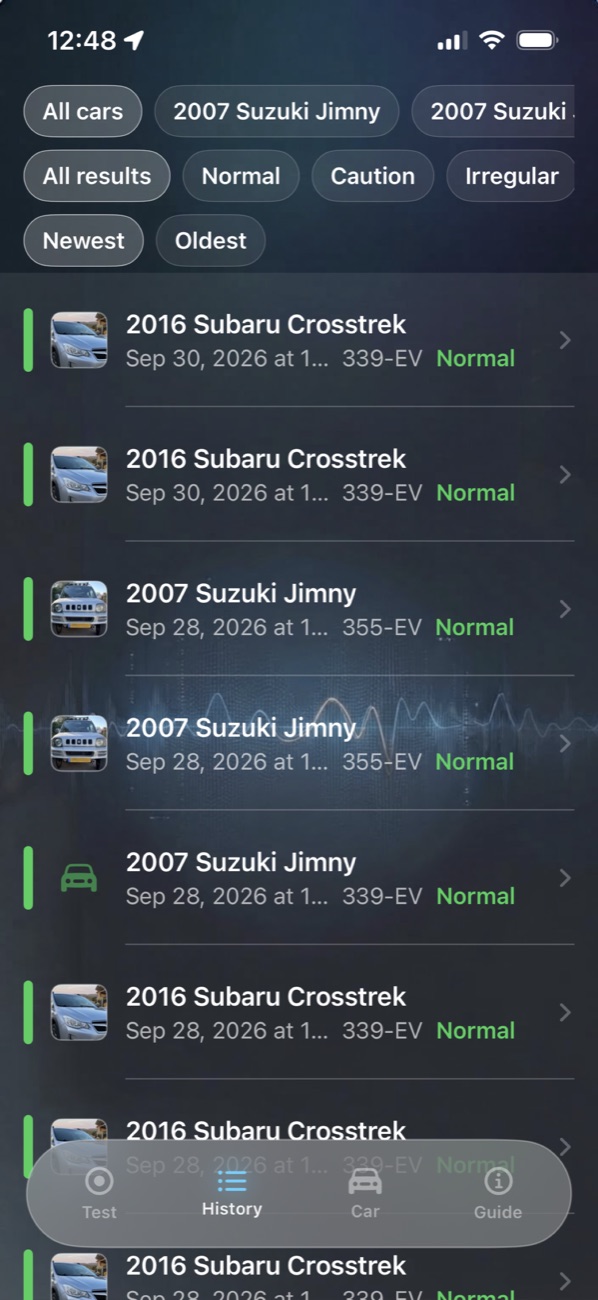
Every test ends in one color. Green, orange, and red describe how much the idle speed is moving. Gray means the signal was not clean enough to score.
Idle speed holds steady.
Idle speed is moving more than usual.
Idle speed is moving a lot.
The signal was bad. Try again.
From a 2016 Subaru Crosstrek at idle. One phone, one hood, thirty seconds.
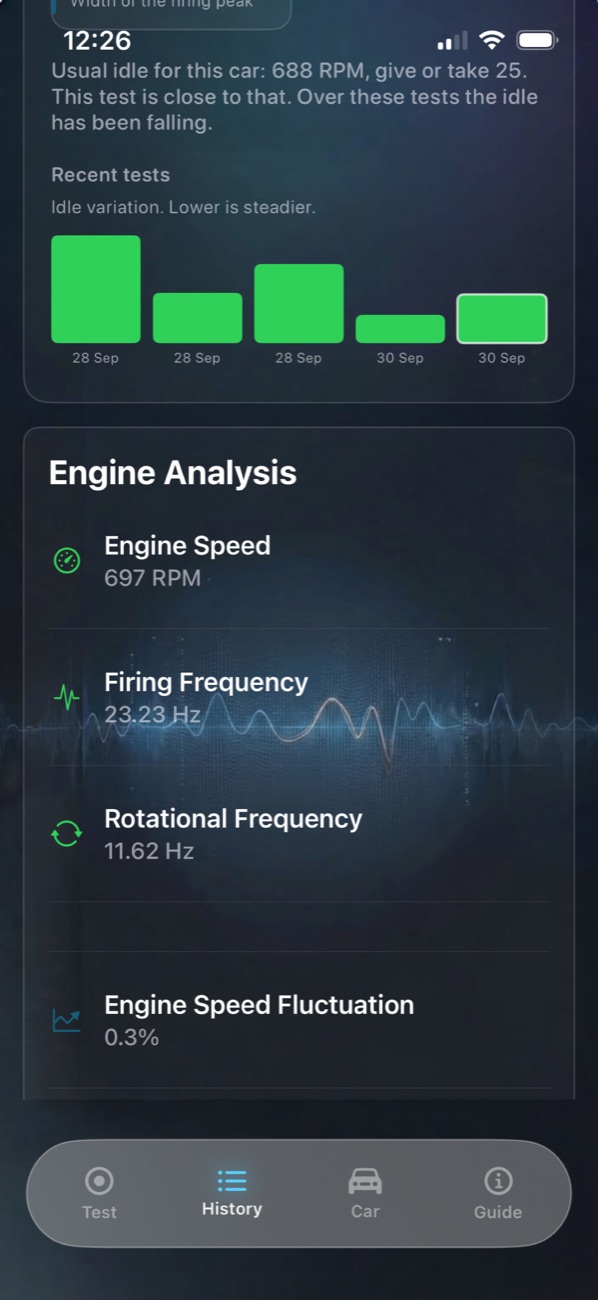
Engine speed
0RPM
Worked out from vibration alone. Nothing connects to the car.
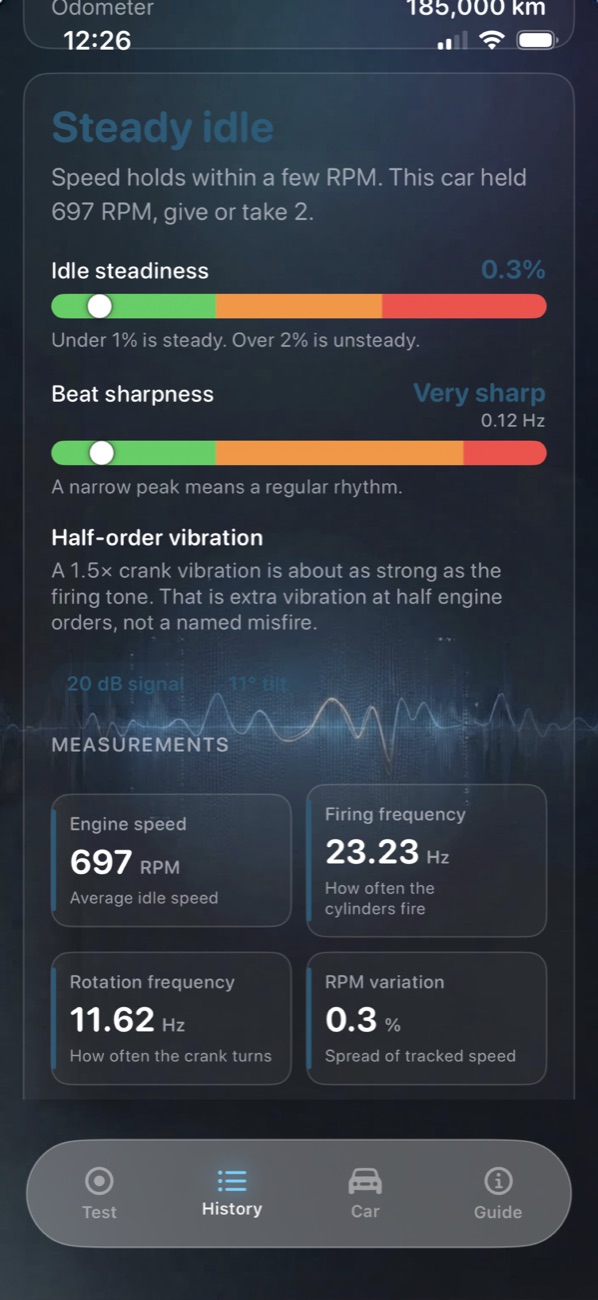
Firing frequency
0Hz
Rotational frequency
0Hz
Speed fluctuation
0%
Graphs
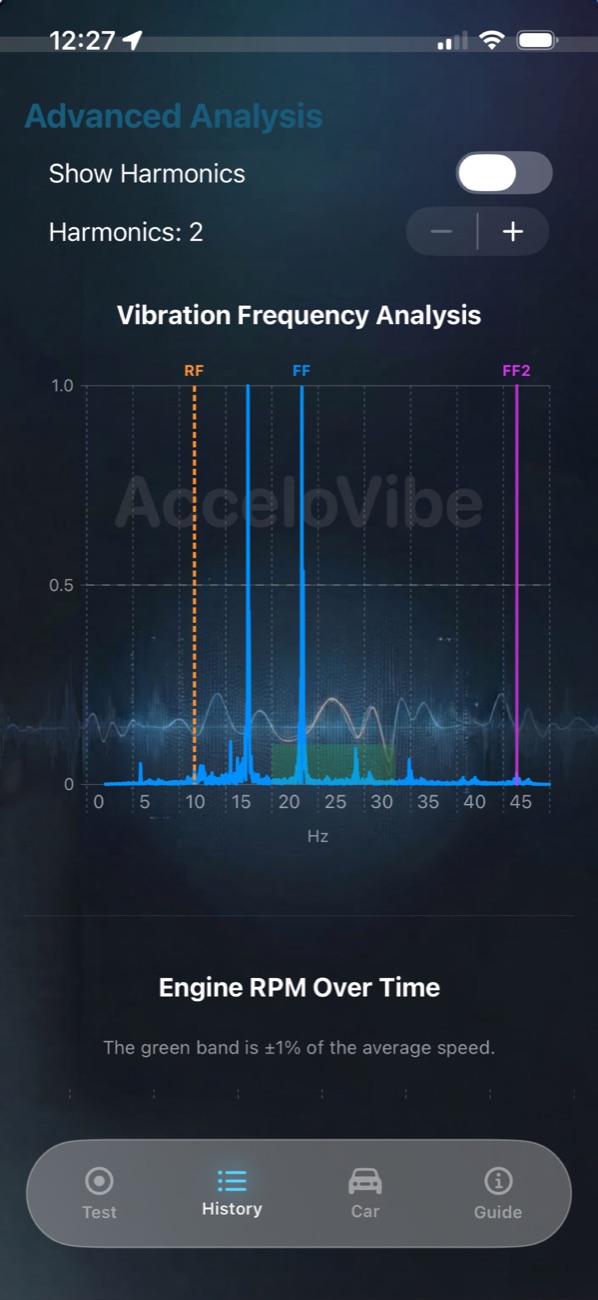
Turn on harmonics to see the vibration lines around the firing tone.
Version 2.0
Your cars
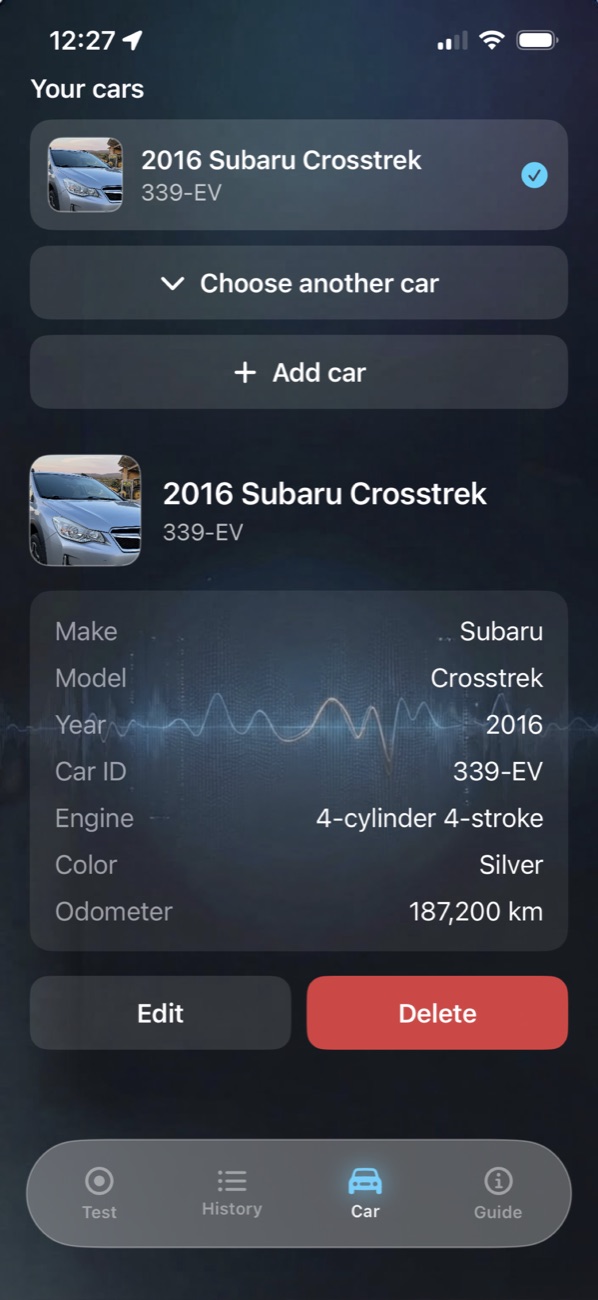
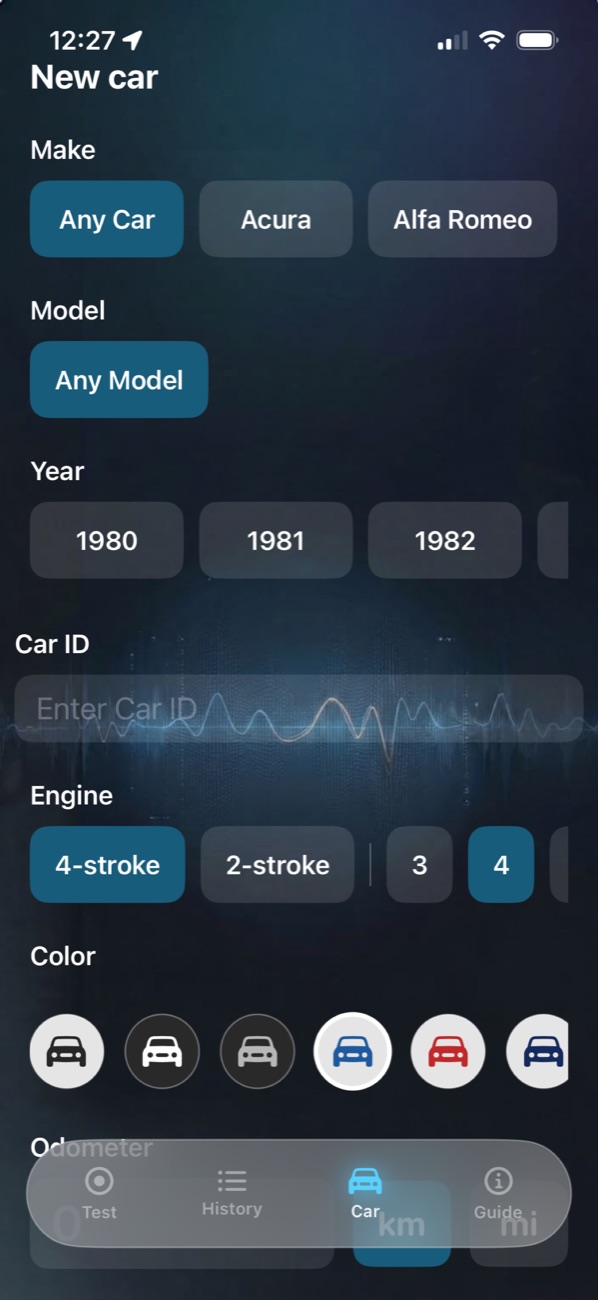
Save the make, model, year, and car ID, with a photo, color, and odometer. Each test lands on the right car.
The same car, again
After five scored tests, a new reading is compared with that car's usual idle. You see where today sits against the rest.
A report you can share
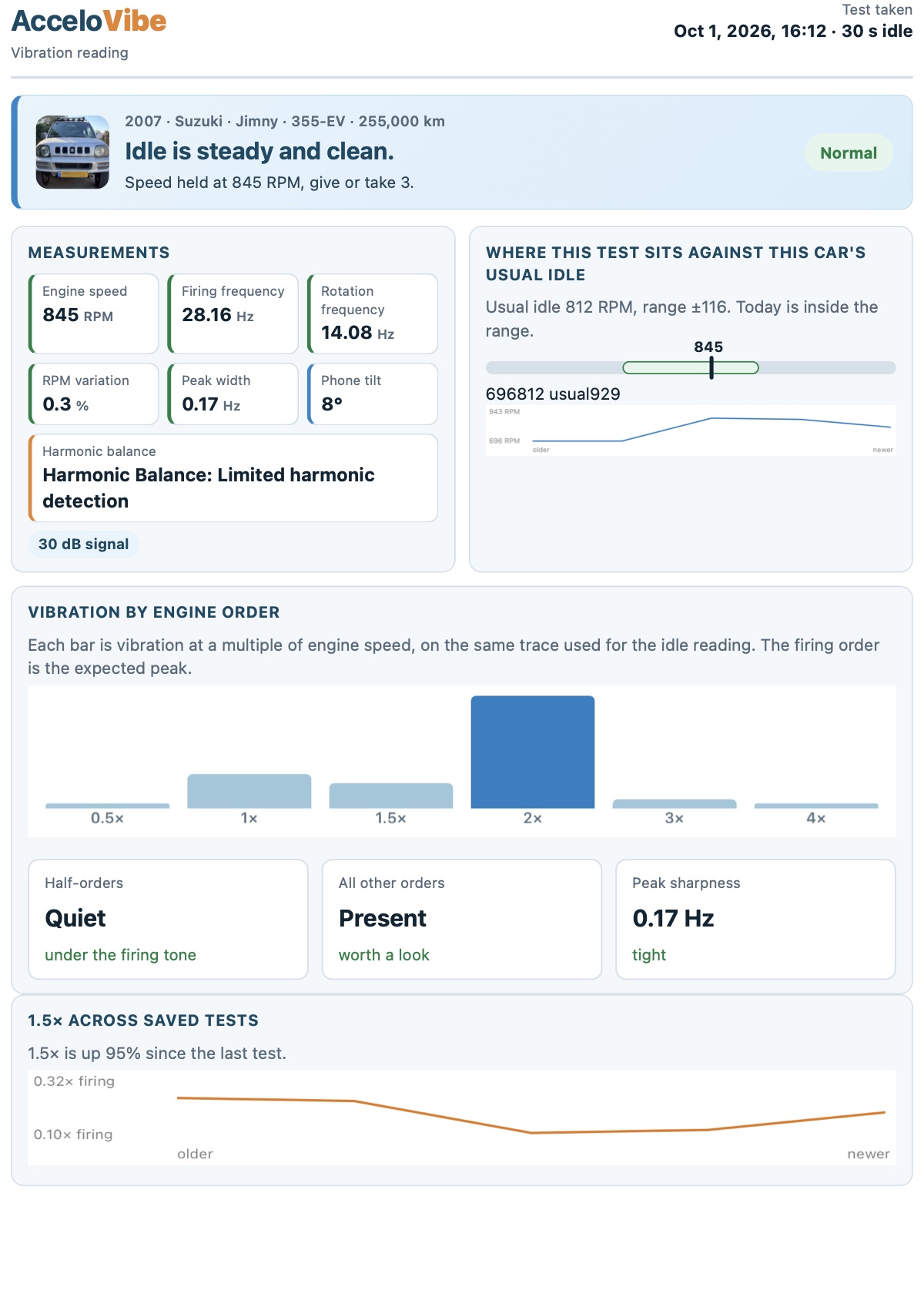
Share a PDF from any saved test. Bring it to the seller or the mechanic.
The car, the date, and one plain line: "Idle is steady and clean. Speed held at 845 RPM, give or take 3."
Engine speed, firing and rotation frequency, RPM variation, peak width, phone tilt, and signal strength.
Today's speed placed on the range from that car's earlier tests. Usual idle 812 RPM. Today is inside the range.
Each bar is vibration at a multiple of engine speed. The firing order is the expected peak.
How one order moves from test to test, so a change stands out.
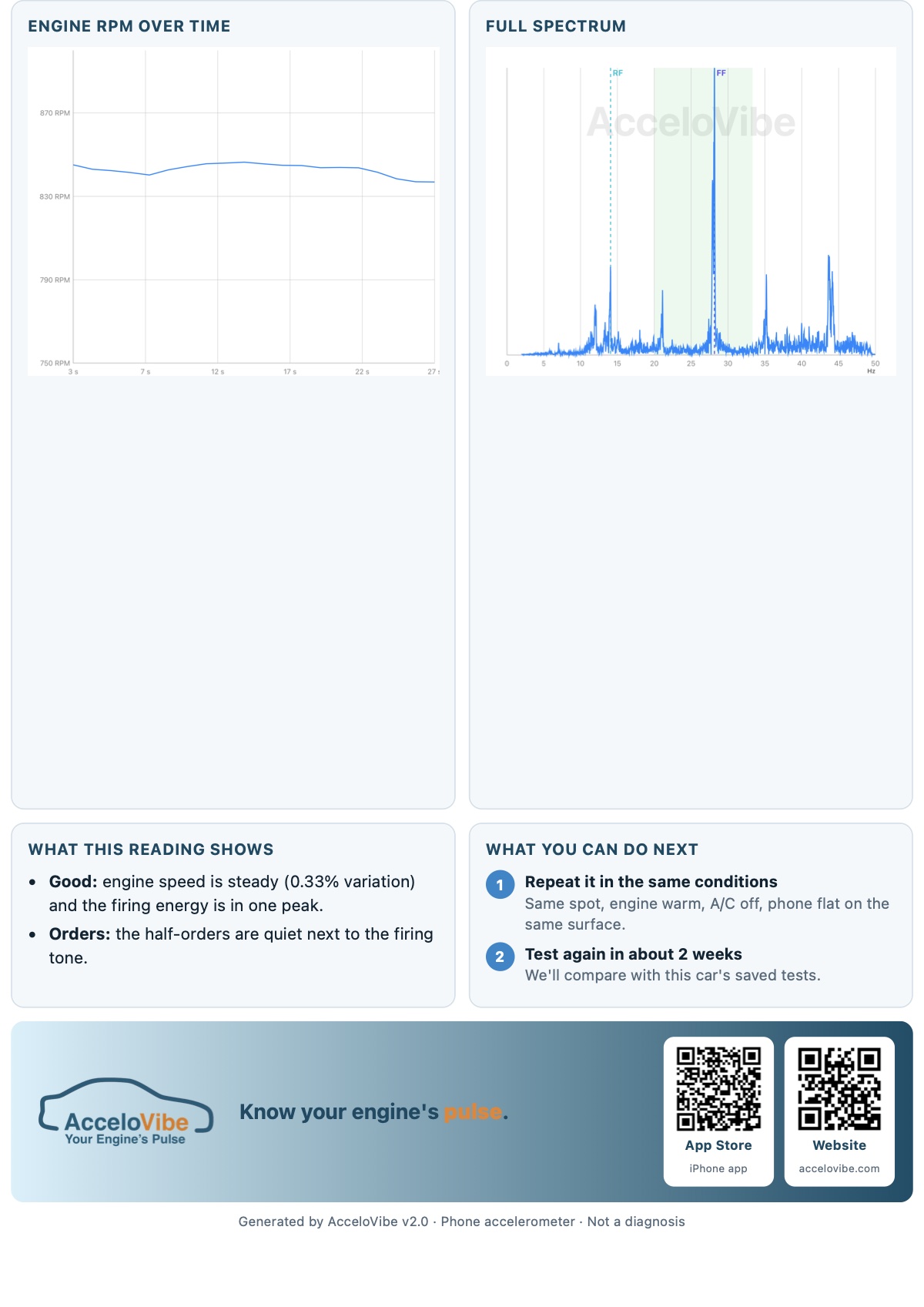
The speed trace across the test and every vibration line from 0 to 50 Hz.
Plain notes on the reading, and when to test again in the same conditions.
The film
Some sellers smile a lot. The idle does not. Know before you buy.
Before you start
Engine at idle, phone on the hood, you outside the car.
AcceloVibe does not connect to the car and does not read vehicle systems. A warning light, a noise, a leak, or a repair decision belongs with a mechanic.
The reading is supplementary information from vibration, not a definitive assessment of engine condition. The make, model, and year you enter are for your own reference, so tests of the same car can be compared.
AcceloVibe is provided "as is" without warranties of any kind.